Caching is the practice of storing a copy of a resource — an HTML page, a CSS file, an image, an API response — closer to the user so that a future request can be served without regenerating or re-fetching it from the origin. Instead of every visit triggering a full round trip to your server, the browser or an intermediary edge node can return a stored version in a few milliseconds.
Caching is one of the highest-leverage performance optimizations available, but it is also one of the most commonly misconfigured. The failure mode is predictable: someone deploys a change, users keep seeing the old version because a stale cache is serving it, and the team responds by disabling caching entirely. That trades correctness for speed and gives up most of the benefit. The goal of this guide is to show a layered approach where both properties survive.
Myth #1: “Caching is a single setting you turn on.”
It is common to hear caching described as a toggle — either your site “has caching” or it does not.
Reality: Caching happens at multiple layers, each with its own controls.
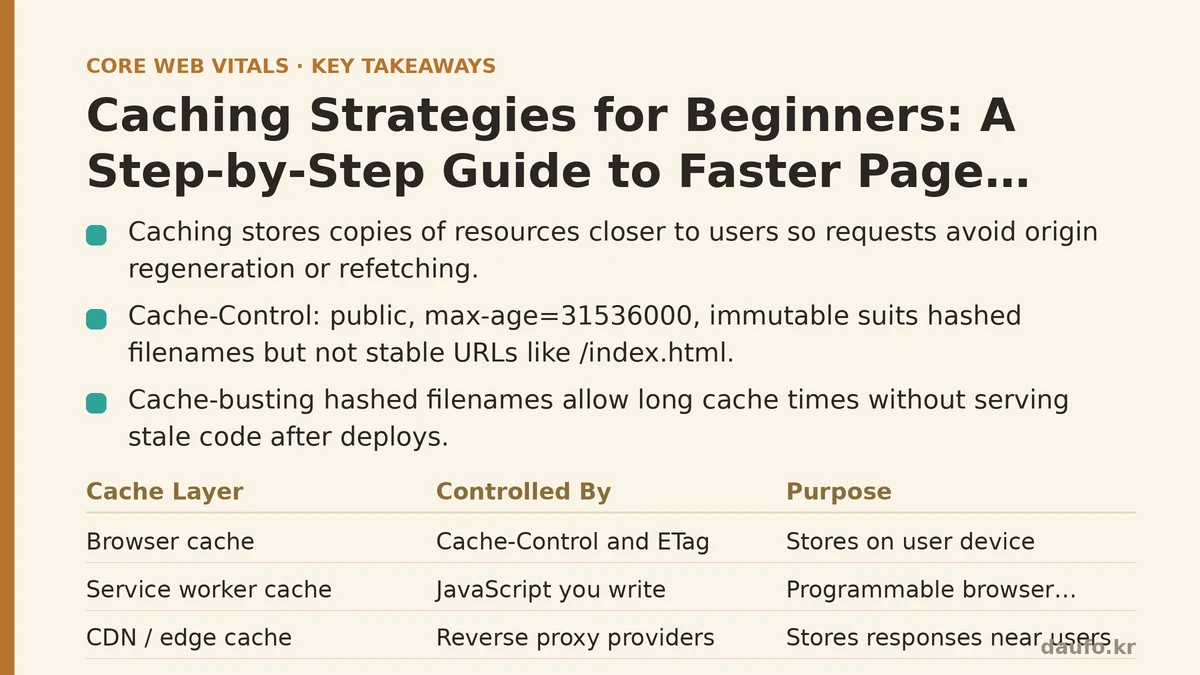
At minimum, four layers can serve a resource before it reaches the user’s screen:
- Browser cache — storage on the user’s device, controlled by response headers like
Cache-ControlandETag. - Service worker cache — a programmable cache layer inside the browser, populated by JavaScript you write.
- CDN / edge cache — a reverse proxy (Cloudflare, Fastly, CloudFront, Bunny) that stores responses geographically near users.
- Origin server cache — application-level stores like Redis, Memcached, or an in-process cache that avoid recomputation or database queries.
Each layer answers a different question: “has this user seen this file recently?”, “can this edge node avoid a trip to origin?”, “can we avoid a slow query?”. Configuring headers correctly at the origin influences every layer downstream, so headers are the foundation.
The most important header is Cache-Control. A response header of Cache-Control: public, max-age=31536000, immutable tells any intermediate cache (and the browser) that the response may be reused for one year and will not change. That is appropriate for a file whose name changes on every deploy, like app.4f9a2c.js, and inappropriate for a file served at a stable URL, like /index.html, because the browser will not re-check it.
Myth #2: “Long cache times cause users to see stale content.”
This is the fear that leads teams to set max-age=0 “just to be safe,” which pushes the browser to revalidate every asset on every visit.
Reality: Cache-busting filenames let you cache forever without ever serving stale code.
The standard approach is to give each deployed asset a filename containing a hash of its contents. When the file changes, its hash changes, its URL changes, and any cache keyed on the old URL becomes irrelevant. The old file can stay cached on a user’s device harmlessly; the HTML simply references the new path.
A typical build chain (Vite, Webpack, esbuild, Rollup) produces output like:
dist/
  index.html
  assets/
    main.9b1e4c7f.js
    vendor.3a8d2e11.js
    styles.74f1a0bb.css
Then the server serves those hashed assets with a very long max-age, and the HTML with a short one. In an Nginx config, that commonly looks like this:
# Hashed assets — cache aggressively
location /assets/ {
    expires 1y;
    add_header Cache-Control "public, max-age=31536000, immutable";
    try_files $uri =404;
}

# HTML — always revalidate so new deploys are picked up
location / {
    add_header Cache-Control "no-cache";
    try_files $uri /index.html;
}
Two details worth noting. First, no-cache does not mean “do not cache”; it means “revalidate before using a cached copy.” The browser will send a conditional request, the server may respond 304 Not Modified (no body, tiny transfer), and the cached copy is used. That is far cheaper than a full download. Second, immutable is a hint to the browser that the resource at this exact URL will never change — it skips the revalidation round trip on reload, which is a small but measurable win on repeat views.
The trade-off: this pattern only works if your build tooling reliably invalidates filenames. If you manually manage asset paths, or if a CDN is configured to cache a stable path like /api/user/123 for a year, you will serve stale data. Long-lived caching is safe when the URL is content-addressed; it is dangerous when the URL is stable and the content is dynamic.
Myth #3: “A CDN is the caching strategy.”
Signing up for a CDN is often treated as the entire fix.
Reality: A CDN amplifies whatever caching policy your origin already declares.
A CDN edge node looks at the same Cache-Control headers your origin sends, plus its own rules. If the origin says no-store, the CDN will typically pass that through and forward every request back to origin, which defeats much of the CDN’s purpose. If the origin says public, max-age=600, s-maxage=3600, the CDN will keep the resource for an hour while browsers keep it for ten minutes — s-maxage is a shared-cache directive that overrides max-age for proxies.
For dynamic content, the honest approach is often to cache at the edge with a short TTL plus a revalidation hook. For example, a Vercel or Netlify deployment can purge specific paths when a CMS publishes; Cloudflare supports Cache-Tag headers so you can invalidate a logical group of objects at once rather than flushing everything. Without these hooks, edge caching of personalized or frequently updated content is fragile, and the correct answer is usually to not cache it in the shared layer at all.
Myth #4: “Add caching and forget about it.”
Caching is sometimes treated as a one-off task — set a header, ship it, move on.
Reality: Caching is a contract you must verify on every deploy.
The most common production incidents related to caching are not header syntax errors; they are mismatches between what the build produces and what the delivery layer expects. A deploy changes the hash of main.js, but a service worker is still serving the previous version from its own cache until it updates — a known category of “users on old version” bugs. A reverse proxy caches an HTML page with Cache-Control: public and keeps it around after a hotfix. An API response is cached by an over-eager edge node under a key that ignores a header the response varies on.
A practical verification workflow looks like this:
- Inspect response headers on a hashed asset and on the HTML entry point:Confirm the asset returns
curl -I https://example.com/assets/main.9b1e4c7f.js curl -I https://example.com/Cache-Control: public, max-age=31536000, immutableand the HTML returns something likeCache-Control: no-cacheor a shortmax-age. - Re-request each URL and check for
304 Not Modified(good) versus a full200with a new body (which suggests caching is not being honored). - Check from a second network location (or a CDN test tool) to confirm the edge is not disagreeing with the origin.
- After a deploy, fetch the HTML and confirm the referenced asset hash has changed. If it has not, your build is producing identical output — which is fine only if the source really did not change.
- Verify your service worker (if you have one) has a versioned cache name and clears old caches on activation:The version string in the cache name is what forces the new service worker to fetch a fresh copy instead of reusing the previous one.
const CACHE = 'app-v42';
self.addEventListener('install', (event) => {
  event.waitUntil(caches.open(CACHE).then((c) => c.addAll(['/', '/assets/main.9b1e4c7f.js'])));
});
self.addEventListener('activate', (event) => {
  event.waitUntil(
    caches.keys().then((keys) =>
      Promise.all(keys.filter((k) => k !== CACHE).map((k) => caches.delete(k)))
    )
  );
});
Myth #5: “More caching is always better.”
Cache duration is sometimes treated as a number to maximize.
Reality: Over-caching creates its own class of bugs, and the right TTL depends on volatility.
Some rules worth holding onto:
- Never cache authenticated responses on a shared layer unless the cache key includes the user identity. The failure mode here leaks one user’s data to another — the worst kind of bug.
- Do not cache on the CDN alone if the origin has no way to invalidate. Long TTLs on mutable content require a purge mechanism, or you are committing to waiting out the TTL after every publish.
- Prefer revalidation over guessing.
ETagandLast-Modifiedlet the server answer “has this changed?” cheaply. A304 Not Modifiedresponse is often a few dozen bytes versus a full resource. - Consider
stale-while-revalidatefor content that benefits from instant response but can tolerate brief staleness. It serves the cached copy immediately and refreshes it in the background on the next request:
This pattern works well for semi-dynamic pages where a sixty-second delay is acceptable but a blank screen on every visit is not.Cache-Control: public, max-age=60, stale-while-revalidate=600 - For user-specific data, cache privately (in the browser only) or not at all.
Cache-Control: private, max-age=0, must-revalidatetells shared caches to leave the response alone while allowing the browser to revalidate.
Putting the Layers Together
| Content type | Where cached | Typical header | Why |
|---|---|---|---|
| Hashed assets (JS, CSS, fonts) | Browser + CDN | public, max-age=31536000, immutable | Filename changes when content changes; safe to cache for as long as the URL lives. |
| HTML entry point | Browser (revalidate) | no-cache or max-age=0, must-revalidate | Must pick up new asset references immediately after a deploy. |
| API reads (non-personal) | CDN, short TTL | public, s-maxage=60, stale-while-revalidate=300 | Absorbs traffic spikes while tolerating brief staleness. |
| Authenticated API | Browser only | private, no-store | Shared caches must never store one user’s data for another. |
| Static images | Browser + CDN | public, max-age=2592000 | Long TTL, but versioned URLs or a CDN purge on replace. |
Caching works best when it is treated as a per-resource policy rather than a global switch. The mental model is: identify which URLs are content-addressed and never changing, give those a long TTL; identify which URLs are stable but mutable, and give those a short TTL plus a revalidation mechanism. Then verify the headers on every deploy. The payoff — smaller transfers, fewer origin hits, better Core Web Vitals — shows up quickly, but it only persists if the contract between your build, your origin, and your CDN stays in sync.
If you take one concrete step from this guide, start with the two curl -I commands above on your own site’s homepage and JavaScript bundle. The headers you see there tell you which caching layer is doing the work and which one is silently doing nothing.
Related guides: How to Set Up a CDN for Beginners: A Step-by-Step Performance Guide, Troubleshooting Why Your CDN Isn’t Improving Page Speed: Common Mistakes, and Browser Caching Setup: A Beginner’s Step-by-Step Guide.
🔗 Recommended Reading
- How to Enable Browser Caching on Your Website: A Beginner's Step-by-Step Tutorial
- Web Performance Monitoring Tools Compared: Lighthouse, PageSpeed Insights, and WebPageTest
- CDN vs. Origin Server: Which to Optimize First for Latency
- Common Mistakes That Break Web Font Performance and How to Fix Them
- Site Speed Optimization for Fintech Websites: Balancing Security, Compliance, and Performance