After reading this post you will be able to audit a site’s font loading setup, identify which of the common font-performance mistakes it is making, and apply a concrete fix for each one — using font-display, preload, size-adjust, subsetting, and self-hosting. The focus is on mistakes that show up again and again in real audits and on the specific CSS, HTML, and tooling changes that resolve them.
Web fonts are one of the easiest ways to introduce layout shift and render delays into a page that is otherwise well optimized. The bytes are usually small, the CSS looks harmless, and the problem only surfaces in metrics like Cumulative Layout Shift (CLS), Largest Contentful Paint (LCP), or First Contentful Paint (FCP). Below is a myth-versus-reality breakdown of the mistakes that cause the most damage, followed by fixes you can apply today.
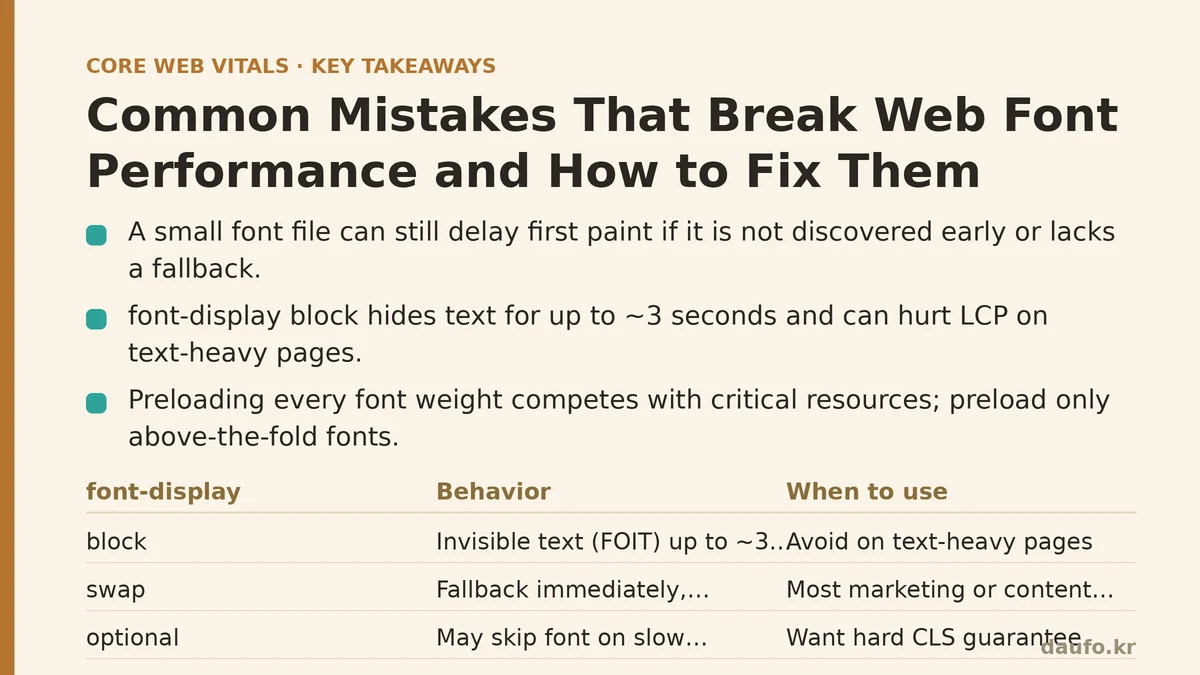
Myth #1: “If the font file is small, it can’t hurt performance.”
Reality: File size is only one variable. Two other factors matter just as much — when the font is requested, and what the browser renders while it is loading.
A 20 KB WOFF2 file that is requested from a blocking <link> in the <head> and only declared with @font-face can still push back your first text paint. Conversely, a 200 KB variable font that is preloaded, subsetted, and paired with a metric-compatible fallback can feel instant.
What determines the real cost:
- Discovery time. If the font is referenced only inside a CSS file the browser hasn’t downloaded yet, the request is delayed by a full round trip.
- The fallback swap window. During the time the font is loading, the browser renders a system fallback. When the custom font replaces it, any difference in glyph width or line height causes a reflow — that’s the CLS hit.
- The number of font families and weights. Each unique family × weight × style combination is a separate request unless you use a variable font.
A small file that is discovered late is worse than a larger file that is discovered early and swapped gracefully.
Myth #2: “font-display: block is the safe default.”
Reality: block is the setting most likely to hurt both LCP and CLS on text-heavy pages.
The font-display descriptor controls what the browser does during the font’s loading window:
auto— browser default; behavior varies and is often equivalent toblock.block— text is invisible (FOIT) for up to ~3 s, then swaps. Long invisible text delays LCP if the element is above the fold.swap— fallback is shown immediately, custom font swaps in whenever it arrives. Good for LCP, but can cause CLS if metrics differ.fallback— a short invisible period (~100 ms), then fallback, with a swap only if the font arrives quickly.optional— the browser may skip the font entirely on slow connections and use it only on subsequent visits (now cached).
For most marketing or content sites, swap combined with a metric-matched fallback is the pragmatic choice. Use optional when you want a hard CLS guarantee and can accept that some users will never see the custom font.
@font-face {
  font-family: "Inter";
  src: url("/fonts/inter-var.woff2") format("woff2-variations");
  font-weight: 100 900;
  font-style: normal;
  font-display: swap;
}
Myth #3: “Preloading everything is faster.”
Reality: Overusing preload competes with critical resources and can make LCP worse.
<link rel="preload"> tells the browser to fetch a resource at high priority before the parser has discovered it. That is exactly the right move for the one or two font files that appear in above-the-fold text. It is the wrong move for every weight in your type system.
Symptoms of preload abuse:
- The font request outranks your hero image or LCP element in the network waterfall.
- You see “resource was preloaded but not used within a few seconds” warnings in the console.
- DevTools shows the preloaded font downloading while the LCP element waits.
Practical rule: preload at most one file per font family that is used in the first viewport, and only if the <link> is placed before any stylesheet.
<link rel="preload"
      href="/fonts/inter-var.woff2"
      as="font"
      type="font/woff2"
      crossorigin>
The crossorigin attribute is mandatory even for same-origin fonts, because font fetches are always made in anonymous CORS mode. Omitting it causes the browser to fetch the file twice.
Myth #4: “Any fallback font is fine as long as the user sees text.”
Reality: A mismatch between the fallback’s metrics and the custom font’s metrics is what converts an otherwise invisible font load into a visible layout shift.
Fonts vary in x-height, cap height, ascent, and character width. When the fallback swaps to the custom font, those differences shift line breaks and element heights. size-adjust, ascent-override, descent-override, and line-gap-override let you align a local fallback to the web font’s metrics so the swap is nearly invisible.
@font-face {
  font-family: "Inter Fallback";
  src: local("Arial");
  size-adjust: 107%;
  ascent-override: 90%;
  descent-override: 22%;
  line-gap-override: 0%;
}

body {
  font-family: "Inter", "Inter Fallback", system-ui, sans-serif;
}
You can generate these values with tools such as the Fontaine VS Code extension or the @capsizecss/metrics package, which provide the ascent, descent, and line-gap values for common fonts so you can compute accurate overrides quickly.
Myth #5: “You need the whole character set for correctness.”
Reality: Shipping the full Latin Extended, Cyrillic, and Greek ranges when the site only uses English is one of the largest avoidable font costs.
Subsetting removes glyphs the page will never render. For a typical English-only site, dropping unused ranges commonly reduces a font file by 40–70%, depending on the original source.
You can subset at build time with fonttools:
pyftsubset Inter-Regular.woff2 \
  --unicodes="U+0020-007E,U+00A0-00FF,U+2018-201D,U+2022" \
  --layout-features="kern,liga,tnum" \
  --flavor=woff2 \
  --output-file=Inter-Regular-subset.woff2
The trade-off: if you later add content in another language or with unusual punctuation, those glyphs will fall back to a system font. For multi-language sites, use the unicode-range descriptor so the browser only downloads the subset it needs:
@font-face {
  font-family: "Inter";
  src: url("/fonts/inter-latin.woff2") format("woff2");
  unicode-range: U+0000-00FF, U+0131, U+0152-0153, U+2190-21BB;
  font-display: swap;
}
The browser downloads that file only if a character in the range appears on the page.
Myth #6: “Using a third-party CDN is always fine.”
Reality: Third-party font CDNs (including the classic fonts.googleapis.com link) introduce costs that self-hosting avoids.
- Extra DNS, TCP, and TLS handshakes to a domain you don’t control.
- No control over caching headers, which can shorten how long the font stays in the browser cache.
- GDPR and privacy concerns in some jurisdictions, since the request reveals visitor IPs to the CDN.
- Rendering without
font-displaycontrol unless you construct the CSS yourself instead of using the CDN’s stylesheet.
Self-hosting the same WOFF2 files is usually a straightforward win. Download the fonts, place them under /fonts/, declare them with @font-face as above, and set far-future Cache-Control headers on your origin or CDN.
A Fix-and-Verify Walkthrough
Here is a concrete sequence for taking a site from “text visibly jumps on load” to “swap is nearly invisible.”
Step 1 — Measure before you change anything
Open DevTools → Lighthouse and record CLS and LCP on a throttled connection (Fast 3G + 4× CPU slowdown is a useful simulation). Also open the Network panel, filter by Font, and note:
- The order the font requests appear relative to the LCP element’s request.
- Whether any font is requested twice (classic sign of a missing
crossorigin). - The bytes transferred per font file.
Step 2 — Apply the four core fixes
- Self-host the WOFF2 files and remove third-party font
<link>tags. - Add
font-display: swap(oroptional) to every@font-face. - Preload the single font used above the fold.
- Add metric overrides to a matching local fallback.
Step 3 — Verify the change
Reload under the same throttling. You should now observe:
- Font requests appearing early in the waterfall, close to the document itself.
- No double requests for the same file.
- CLS measured at or near 0 for text blocks (compare the Layout Shift regions overlay to confirm the swap no longer shifts layout).
- LCP unchanged or improved, never regressed.
If CLS is still non-zero, the fallback metrics are off — regenerate the size-adjust and override values with Fontaine or Capsize and recheck.
Quick Reference: Mistake → Symptom → Fix
| Mistake | Typical symptom | Fix |
|---|---|---|
font-display: block (or default) | Invisible text for up to ~3 s; delayed LCP | Use swap or optional; pair with metric-matched fallback |
| Preloading every weight | Font outranks LCP element; console warnings | Preload only the above-the-fold family; use crossorigin |
Missing crossorigin on preload | Font downloaded twice | Add crossorigin to the <link rel="preload"> |
| Unadjusted fallback | Text reflows on swap; CLS spikes | size-adjust, ascent-override, descent-override |
| Full character set shipped | Large transfer; slow first paint | Subset with pyftsubset; use unicode-range for i18n |
| Third-party CDN default | Extra handshake; no cache control | Self-host; set long Cache-Control |
| Too many weights/styles | Many requests; variable font would suffice | Replace static weights with a variable font |
When Not to Apply These Fixes
- If your font is decorative and used only in a logo image, skip the web-font pipeline entirely — render it as an SVG or raster image and avoid the request.
- If your site is an internal tool behind SSO on a fast LAN, aggressive subsetting can cause more maintenance pain than it saves. Prefer the simplest setup that hits your metrics target.
- If you rely on
font-display: optionalfor a hard CLS guarantee but your design uses the font for branding-critical headlines, you may wantswapwith strict metric overrides instead, accepting a small residual CLS in exchange for predictable branding.
The theme across every myth above is the same: web font performance is not about one attribute or one file size. It is the interaction between discovery time, swap behavior, fallback metrics, and payload. Fix the four core items — self-host, font-display, a single preload, and metric overrides — and you will resolve the majority of font-related performance regressions before they reach your Core Web Vitals dashboard.
Related guides: Mastering Script Loading: A Deep Dive into Async vs. Defer for Peak Performance, HTTP/3 Isn’t Just Faster, It’s Smarter: Debunking Myths About the Web’s Next Evolution, and The DOM Size Myth: Why ‘Fewer Divs’ Isn’t the Real Performance Fix.
🔗 Recommended Reading
- How to Enable Browser Caching on Your Website: A Beginner's Step-by-Step Tutorial
- Web Performance Monitoring Tools Compared: Lighthouse, PageSpeed Insights, and WebPageTest
- CDN vs. Origin Server: Which to Optimize First for Latency
- Site Speed Optimization for Fintech Websites: Balancing Security, Compliance, and Performance
- Core Web Vitals for Beginners: A Step-by-Step Guide to Measuring Your First Audit