Introduction: The Unseen Bottleneck
In the relentless pursuit of a faster web, developers often focus on image optimization, CSS minification, and caching. However, one of the most significant performance culprits often hides in plain sight: the humble <script> tag. By default, a standard script tag can halt your website’s rendering in its tracks, leaving users staring at a blank screen.
This is what’s known as “render-blocking.” The browser’s HTML parser works its way down the document, building the page. When it encounters a <script> tag, it must pause everything, download the script, execute it, and only then can it continue parsing the rest of the HTML.
Fortunately, modern HTML provides two powerful attributes to combat this: async and defer. Understanding the nuanced differences between them is not just an academic exercise; it’s a critical skill for any developer serious about performance and user experience. This guide will demystify these attributes and provide a clear strategy for their implementation.
Core Concept: Deconstructing the Script Loading Timeline
To truly grasp async and defer, we must first visualize how a browser handles scripts. Imagine the HTML parser as a diligent construction worker building a house (your webpage) from a blueprint (the HTML file).
The Default Behavior (No attributes)
<script src="analytics.js"></script>
- Parse HTML: The worker starts building the walls.
- Encounter Script: The worker finds the instruction for “analytics.js”.
- STOP Parsing: The worker puts down their tools.
- Fetch Script: They go to the supply depot to get the “analytics.js” file.
- Execute Script: They run the instructions from the file.
- Resume Parsing: Only after the script is fully executed do they pick up their tools and continue building.
This stop-and-go process is the primary cause of slow initial page loads.
The async Attribute
<script async src="analytics.js"></script>
The async attribute tells the browser it can download the script “asynchronously” in the background.
- Parse HTML: The worker starts building.
- Encounter Script: The worker sees the
asyncscript instruction. They radio a helper to go fetch the “analytics.js” file. - Continue Parsing (while fetching): The main worker continues building the house while the helper is away.
- Script Fetched: The helper returns with the script.
- STOP Parsing, Execute Script: The main worker immediately stops building, executes the script, and then resumes work.
Key takeaway: async removes the download from the critical rendering path, but the execution can still interrupt parsing at any moment. The order of execution for multiple async scripts is not guaranteed; they run as soon as they are downloaded.
The defer Attribute
<script defer src="app.js"></script>
The defer attribute also downloads the script in the background, but it adds a crucial rule about when to execute it.
- Parse HTML: The worker starts building.
- Encounter Script: The worker sees the
deferscript instruction and sends a helper to fetch “app.js”. - Continue Parsing (while fetching): The main worker continues building the house without interruption.
- Finish Parsing: The worker completely finishes building the entire structure based on the HTML blueprint.
- Execute Script: Only after the entire document is parsed (but before the
DOMContentLoadedevent), the worker executes the fetched script(s).
Key takeaway: defer guarantees two things: it will not block HTML parsing, and it will execute scripts in the order they appear in the HTML after the parser is finished.
Issues & Problems Solved
Using async and defer directly addresses critical performance and functional issues.
Render-Blocking JavaScript: This is the primary problem. Both
asyncanddefersolve this by allowing the browser to continue parsing HTML while the script is being downloaded. This directly improves metrics like First Contentful Paint (FCP), which is crucial for a good user experience and Core Web Vitals scores.Unpredictable Execution Order (
async’s challenge): If you have multipleasyncscripts, they will execute in whatever order they finish downloading. Ifscript-B.jsdepends onscript-A.js, you might have a race condition where B tries to execute before A is ready, causing errors.- Problem:
<script async src="jquery.js"></script>and<script async src="plugins.js"></script>might executeplugins.jsfirst, breaking the site.
- Problem:
DOM Access (
async’s challenge): Anasyncscript can execute while the HTML parser is still working. If that script tries to access a DOM element that hasn’t been parsed yet (e.g.,document.getElementById('footer')), it will fail.- Problem: An
asyncscript in the<head>tries to add an event listener to a button in the<body>. The script will likely run before the button exists in the DOM.
- Problem: An
defer solves both of these challenges by guaranteeing execution order and waiting for the full DOM to be parsed.
The Strategic Solution: When to Use Which
The choice between async and defer isn’t arbitrary. It’s a strategic decision based on what the script does. Here is your decision-making framework.
Rule 1: Use defer by Default
For any script that is not absolutely critical for the initial paint, defer should be your default choice. This applies to most of your JavaScript.
- When: Scripts that manipulate the DOM, scripts that have dependencies on each other (e.g., a library and a custom script that uses it), or any non-essential functionality.
- Why: It is the safest and most reliable method. It ensures scripts don’t block rendering, the full DOM is available when they run, and their execution order is preserved.
- Example:
<!-- Correct Order Guaranteed -->
<script defer src="library.js"></script>
<script defer src="main-app.js"></script>
Rule 2: Use async for Independent, Third-Party Scripts
Use async for self-contained scripts where execution order and immediate DOM access are not important.
- When: Analytics scripts, ad network scripts, or social media widgets. These scripts typically don’t depend on your site’s code, and your code doesn’t depend on them.
- Why:
asyncallows these non-critical scripts to load and execute in the background without holding up more important resources. It can execute earlier than adeferscript, which might be beneficial for analytics that need to track users as early as possible. - Example:
<script async src="https://www.googletagmanager.com/gtag/js?id=GA_MEASUREMENT_ID"></script>
Rule 3: Use No Attribute for Critical, Render-Blocking Scripts
There are very rare cases where you need a script to block rendering.
- When: A script that must run before the browser continues parsing the page. A common (though now less necessary) example was a script to detect browser features and add classes to the
<html>tag to apply conditional CSS. - Why: You are intentionally blocking rendering to prevent a “flash of unstyled content” or to apply a critical polyfill. Use this with extreme caution and only if absolutely necessary.
- Pro Tip: For modern development, consider using
<script type="module">. Scripts withtype="module"behave likedeferby default, encouraging best practices.
Summary Table: Async vs. Defer at a Glance
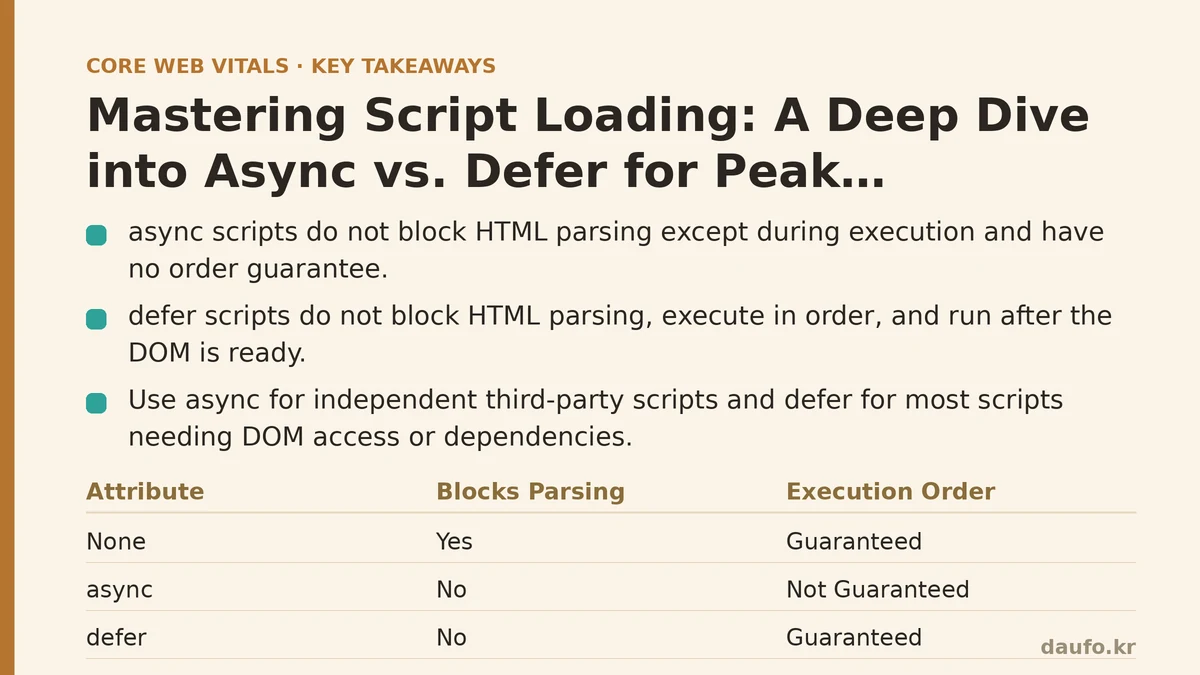
| Attribute | Blocks HTML Parsing? | Execution Order | DOM Ready for Execution? | Best For… |
|---|---|---|---|---|
| None (Default) | Yes (while fetching & executing) | Guaranteed | Depends on placement | Critical, blocking scripts (rarely needed). |
async | No (only during execution) | Not Guaranteed | Not Guaranteed | Independent 3rd-party scripts (analytics, ads). |
defer | No | Guaranteed | Yes | Most scripts, especially those needing DOM access or with dependencies. |
By thoughtfully applying async and defer, you can take direct control over your site’s rendering pipeline. This simple change can lead to dramatic improvements in perceived performance, higher Core Web Vitals scores, and ultimately, a better experience for your users. Start auditing your <script> tags today.
Related guides: The DOM Size Myth: Why ‘Fewer Divs’ Isn’t the Real Performance Fix, The Overlooked Performance Killer: How to Shrink Your JavaScript with Code Splitting and Tree Shaking, and Animating with Intent: From Janky to Buttery-Smooth 60fps in a Real Dashboard.
🔗 Recommended Reading
- How to Enable Browser Caching on Your Website: A Beginner's Step-by-Step Tutorial
- Web Performance Monitoring Tools Compared: Lighthouse, PageSpeed Insights, and WebPageTest
- CDN vs. Origin Server: Which to Optimize First for Latency
- Common Mistakes That Break Web Font Performance and How to Fix Them
- Site Speed Optimization for Fintech Websites: Balancing Security, Compliance, and Performance