Most developers assume that moving a third-party script to the bottom of the page, or marking it async, is enough to stop it from hurting performance. That assumption breaks down the moment you measure. A script placed at the bottom of the <body> still executes on the main thread, and an async tag still runs on the main thread the instant it downloads — often mid-interaction, mid-scroll, or right in the middle of the browser’s busiest rendering work.
The browser’s main thread is a single-lane road. Your page’s layout, paint, event handling, and your own JavaScript all share it. When Google Tag Manager, a chat widget, or an ad network’s tracking code shows up, it doesn’t just add a car to the lane; it adds a truck. It gets measured. Lighthouse penalizes it. Your Total Blocking Time (TBT) goes up, and your real users feel it, even if your initial HTML payload is tiny.
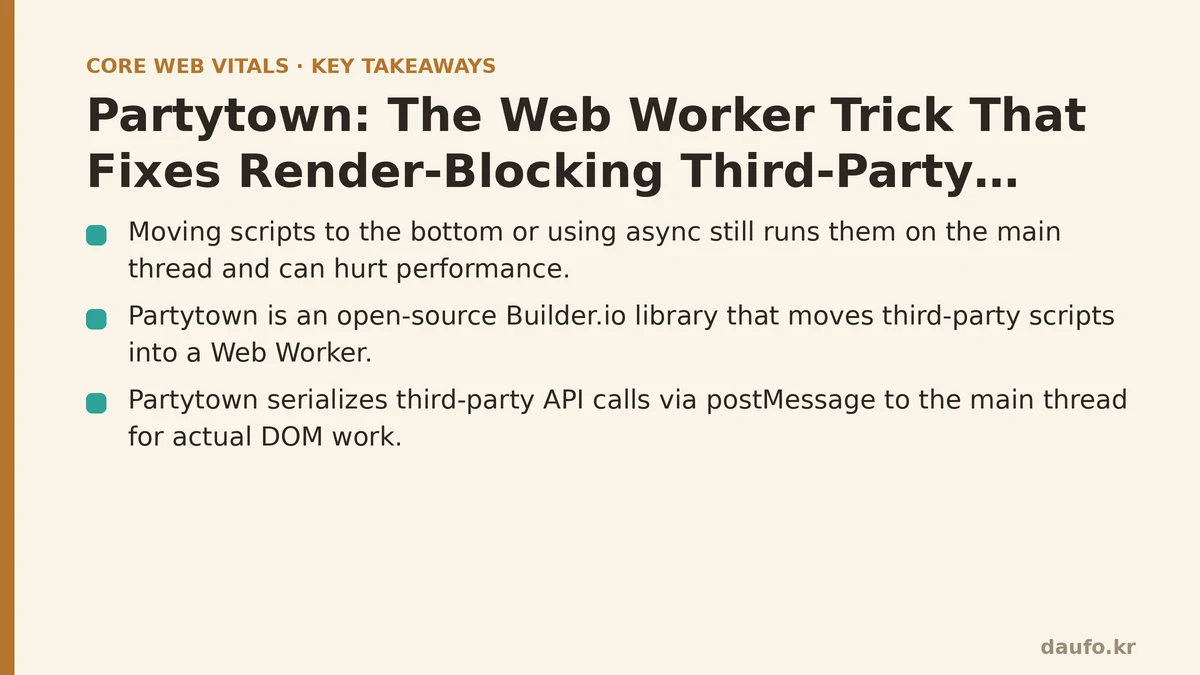
Partytown, an open-source library from the Builder.io team, takes a different approach. It doesn’t just resize the truck — it moves the truck entirely off the main thread and into a Web Worker. This guide walks you through the full implementation path: setup, configuration, verification, and the critical trade-offs you need to understand before adopting it.
Step 1: Understand What Partytown Does Under the Hood
Before wiring anything in, you need a clear mental model of the machinery. A Web Worker is a JavaScript environment that runs in parallel to the main thread. It has no DOM access, no window object, and no direct way to manipulate the page. Partytown bridges that gap.
Partytown’s core trick is communication forwarding. It intercepts calls your third-party script makes to browser APIs like document.getElementById(), localStorage, or fetch(). These calls are serialized and sent back to the main thread via postMessage(). The main thread performs the actual DOM manipulation or network request and sends the result back to the worker.
This means your third-party script believes it’s running in a normal browser environment because Partytown provides a sandboxed “window proxy.” The script’s heavy computation — parsing, tracking logic, event aggregation — happens off the main thread. Only the unavoidable DOM writes happen on the main thread, and those are batched and coordinated by Partytown’s scheduler to minimize layout thrashing.
If this sounds like a lot of moving parts, it is. Partytown operates as a service worker, a Web Worker, and a main-thread proxy simultaneously. The reward is measurable: scripts that previously consumed 100–300ms of main thread time can drop that cost to near zero on the critical path.
Step 2: Install Partytown and Configure It
Partytown ships as an npm package. The setup has three distinct parts: the library itself, the script interception (via type="text/partytown"), and a config object on the main thread.
2.1 Install the package
npm install @builder.io/partytown
2.2 Copy the Partytown library files to your public directory
Partytown requires its partytown.js and auxiliary files (the worker script, the debug script) to be served from a static path. The package provides a command to copy them:
npx partytown copylib public/~partytown
The ~partytown directory is the conventional location. If you’re using a different static server, adjust the destination path accordingly. This step is easy to forget, and when forgotten, Partytown silently fails to initialize. Verify this directory exists in your build output before moving forward.
2.3 Add the config and the intercepting script to your <head>
Partytown reads a global config object before it initializes. It also needs a single main-thread script tag to bootstrap the proxy. Both go into your HTML <head>:
<head>
  <script>
    partytown = {
      lib: "/~partytown/",
      debug: false,
      forward: ["dataLayer.push"],
      mainWindowAccessors: []
    };
  </script>
  <script src="/~partytown/partytown.js"></script>
</head>
The partytown variable must be defined before partytown.js loads. The lib property tells Partytown where to find its worker files. debug: true gives you detailed console logging to help troubleshoot — you’ll want it on during development and off in production. The forward array is critical for analytics; we’ll cover it in the next step.
Step 3: Swap Your Third-Party Tags to type="text/partytown"
The intercepting script only affects tags that you mark explicitly. A standard <script src="..."> will load and run normally. To offload a script, change its type attribute from text/javascript (or omit it) to text/partytown.
Example: Offloading Google Tag Manager
Here’s the standard GTM snippet you see on most sites:
<!-- Standard (main thread) -->
<script>(function(w,d,s,l,i){...})(window,document,'script','dataLayer','GTM-XXXXX');</script>
Here’s the Partytown version:
<!-- Offloaded to a Web Worker -->
<script type="text/partytown">
  (function(w,d,s,l,i){
    w[l]=w[l]||[];w[l].push({'gtm.start':new Date().getTime(),event:'gtm.js'});
    var f=d.getElementsByTagName(s)[0],
        j=d.createElement(s),dl=l!='dataLayer'?'&l='+l:'';
    j.async=true;j.src='https://www.googletagmanager.com/gtm.js?id='+i+dl;
    f.parentNode.insertBefore(j,f);
  })(window,document,'script','dataLayer','GTM-XXXXX');
</script>
Notice that the code itself doesn’t change. The GTM loader script runs inside the worker, creates a script element, and appends it. Partytown intercepts that insertBefore call and forwards the actual DOM insertion to the main thread.
The forward array explained
GTM and other tag managers rely on a queue array, dataLayer in GTM’s case. Your own code pushes events into that array: dataLayer.push({ event: 'signup' }). If dataLayer exists only inside the worker, pushes from your main-thread code won’t reach the worker’s copy.
The forward array fixes this. The entry "dataLayer.push" tells Partytown to create a proxy function on the main thread. When your main-thread code calls dataLayer.push(), Partytown serializes that call and forwards it into the worker, where the real dataLayer lives. Without this line, your custom analytics events will silently disappear.
Step 4: Run It and Verify the Main Thread Is Free
Implementation is only half the battle. You need to prove the change works. Here’s how to measure it.
4.1 Use the browser’s Performance panel
Open Chrome DevTools, go to the Performance panel, and record a page load. Before Partytown, you’d see a large, continuous block of main thread activity from your third-party scripts — long orange and yellow blocks from GTM, Facebook Pixel, or your chat widget. After implementation, those blocks should shrink dramatically or disappear from the critical path.
Look specifically at the Total Blocking Time metric. Lighthouse flags anything above 200ms as a failing score. Partytown’s goal is to get TBT under 50ms for third-party script execution.
4.2 Verify via Lighthouse
Run Lighthouse before and after. Focus on these metric deltas:
- Total Blocking Time (TBT) — should drop measurably, often by 50–80%.
- Time to Interactive (TTI) — follows TBT downward.
- Main-thread work — Lighthouse reports this in its diagnostics section. A site with heavy GTM often shows “main-thread work” in the 2–4 second range. Partytown routinely cuts that in half.
4.3 Verify with Partytown’s debug mode
Set debug: true in your config. Partytown’s console output shows exactly which calls it’s forwarding, how long each takes, and whether any API is not supported in the worker. A perpetual “not supported” warning for a given API means you need to adjust that specific script’s placement.
Step 5: Know the Failure Modes Before You Rely on This
Partytown is not a universal silver bullet. Several categories of scripts and APIs will break or cause subtle bugs.
Unsupported APIs
Partytown maintains a list of APIs it cannot proxy. The most common failures involve:
window.open()with synchronous callers — popups often require direct user activation and are notoriously fragile across worker boundaries.alert(),confirm(),prompt()— these block the main thread by design. Partytown cannot make them work from a worker in a useful way.IntersectionObserverandResizeObserver— these are supported in part, but callbacks that heavily manipulate the layout can still cause jank because the work lands on the main thread after all.
Scripts that rely on synchronous behavior
If a third-party script loops through DOM elements and expects the results immediately, the async communication with the worker means the results arrive a few milliseconds later. Most scripts tolerate this, but some assume synchronous availability and produce bugs like “cannot read property of null” inside the worker.
When NOT to use Partytown
Avoid Partytown for scripts that are critical to initial rendering. Don’t offload a script that sets document.documentElement.className to prevent class-based flash, or one that must render above-the-fold content. A script that paints a critical hero image or primary CTA stays on the main thread. Partytown is for work that is necessary but not critical to first paint.
Also, do not use Partytown on browser environments that don’t support Web Workers — which, in 2026, means nearly nothing in production, but test on embedded browsers or older WebViews if your audience uses them.
Step 6: The Strategic Decision — Which Scripts to Offload
Prioritize offloading scripts in this order:
- Tag managers and analytics aggregators — GTM, Segment, Adobe Launch. These are the largest offenders, often loading dozens of downstream tags.
- Ad network scripts — they’re heavy, they run constantly, and they don’t serve your users’ primary goal.
- Marketing and chat widgets — useful but rarely needed within the first 2 seconds of page load.
Keep these on the main thread:
- Core library code your own app depends on.
- Above-the-fold rendering logic.
- Anything that manipulates the DOM synchronously and must complete before user interaction.
Summary: Partytown Adoption Checklist
| Phase | Action | Verification |
|---|---|---|
| Setup | Run npx partytown copylib public/~partytown | Confirm ~partytown dir exists in build output |
| Config | Define partytown config + load partytown.js in <head> | Check DevTools console for “Partytown ready” |
| Intercept | Change type to text/partytown on target script tags | Script no longer appears as main-thread task |
| Forward | Add analytics queues to forward array | Verify analytics events still fire via debug panel |
| Measure | Run Lighthouse before/after | TBT drops; TTI drops; main-thread work drops |
| Monitor | Set debug: false in production | Watch live site for console errors over 48h |
Starting with a single tag after a mock-up from your tag manager is the safest entry point. Run it on your staging environment, watch the debug output, and then move to production. Measure your worst page before and after — the Lighthouse scores will show you exactly what you’ve saved.
The main thread is a finite resource, and third-party scripts have been draining it silently for years. Partytown puts that resource back under your control.
Related guides: Web Workers vs. Debouncing: The Real Fix for Slow INP Scores, Core Web Vitals Optimization for Finance and Banking Websites: A Troubleshooting Checklist, and Fixing Bad INP Scores: A Symptom-Cause-Fix Guide to Reducing Main Thread Work.
🔗 Recommended Reading
- How to Enable Browser Caching on Your Website: A Beginner's Step-by-Step Tutorial
- Web Performance Monitoring Tools Compared: Lighthouse, PageSpeed Insights, and WebPageTest
- CDN vs. Origin Server: Which to Optimize First for Latency
- Common Mistakes That Break Web Font Performance and How to Fix Them
- Site Speed Optimization for Fintech Websites: Balancing Security, Compliance, and Performance