By the end of this guide, you will know exactly how to identify which parts of your JavaScript bundle are dead weight, split your code so users only download what they need, and configure your build tool to strip out unused exports automatically. You’ll also understand why doing this poorly can leave performance gains on the table even after you’ve technically “implemented” both techniques.
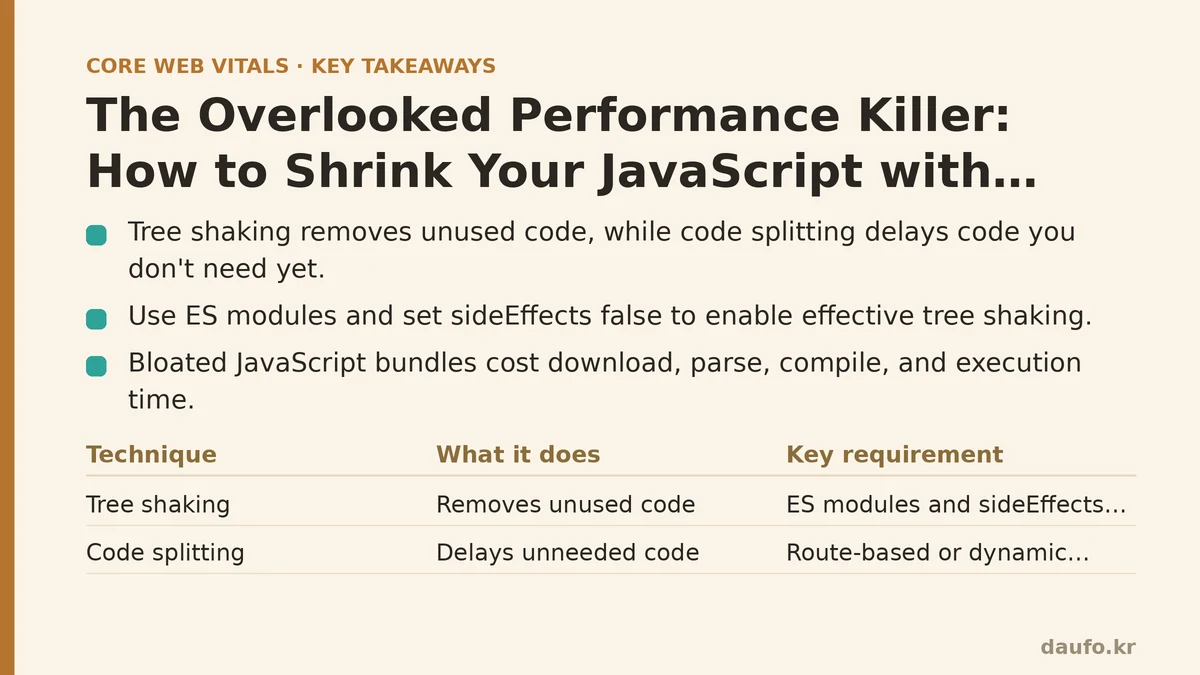
JavaScript is the heaviest asset type on the modern web. Unlike an oversized image, which mostly costs download time, a bloated JavaScript bundle costs download time, parse time, compile time, and execution time — all before a single line of your application logic runs. That compounding cost is why code splitting and tree shaking deserve far more attention than they typically get.
Why Bundle Size Quietly Wrecks Performance
A single 500KB JavaScript bundle doesn’t just take longer to download than a 100KB one. The browser has to parse and compile all 500KB before it can execute any of it, and on a mid-range mobile CPU, parse-and-compile time for JavaScript can rival or exceed the network transfer time. This is why Total Blocking Time and Time to Interactive suffer so heavily on JS-heavy sites, even when the network connection is fast.
Two techniques address this problem from different angles. Tree shaking removes code you never use. Code splitting delays the delivery of code you don’t need yet. Used together, they shrink both the size of what ships and the size of what ships immediately.
Tree Shaking: Beginner vs. Advanced
The Beginner Approach
At the beginner level, tree shaking usually means “you use a bundler like Webpack or Rollup, so unused code gets removed automatically.”" This assumption is only partially correct, and the gap between assumption and reality is where a lot of unnecessary bytes hide.
A beginner setup typically looks like this:
// utils.js
export function formatDate(date) { /* ... */ }
export function formatCurrency(amount) { /* ... */ }
export function debounce(fn, delay) { /* ... */ }

// app.js
import { formatDate } from './utils.js';
The developer imports only formatDate, assumes the bundler drops formatCurrency and debounce, and moves on. In many cases this works fine. But tree shaking depends on the module system being statically analyzable, and beginner-level projects frequently break that requirement without realizing it.
The Advanced Approach
An advanced developer treats tree shaking as something to verify, not assume. This means three things in practice.
First, use ES modules, not CommonJS. import/export statements are static and analyzable at build time. require() and module.exports are dynamic, and bundlers generally cannot safely remove unused CommonJS exports because the module could, in theory, be required conditionally at runtime.
// Tree-shakeable
export const add = (a, b) => a + b;

// NOT reliably tree-shakeable
module.exports.add = (a, b) => a + b;
Second, check package.json for "sideEffects": false. Bundlers are conservative by default. If a module might run code with side effects on import (like polyfills or CSS imports), the bundler will keep it even if none of its exports are used, just to be safe. Declaring "sideEffects": false tells the bundler it’s safe to prune unused exports aggressively.
{
  "name": "my-library",
  "sideEffects": false
}
Third, audit library imports individually. This is the mistake that costs teams the most in practice:
// Pulls in the entire library, even in modern versions with ESM support
import _ from 'lodash';

// Pulls in only the one function needed
import debounce from 'lodash/debounce';
Advanced teams go a step further and inspect their production bundle with a tool like webpack-bundle-analyzer or source-map-explorer after every major dependency upgrade, since tree shaking behavior can silently regress when a library changes its module format.
Code Splitting: Beginner vs. Advanced
The Beginner Approach
The beginner version of code splitting is usually route-based, and it’s a genuinely good starting point. Most modern frameworks make this almost trivial:
// React example using dynamic import
const Dashboard = React.lazy(() => import('./Dashboard'));
const Settings = React.lazy(() => import('./Settings'));
This alone can cut initial bundle size dramatically on multi-page applications, because a user landing on the homepage no longer downloads the code for the settings panel or the admin dashboard. For many sites, this single change produces the largest visible improvement in Largest Contentful Paint and Time to Interactive.
The limitation is that beginners tend to stop here. Route splitting handles the obvious case but ignores everything else sitting inside those routes.
The Advanced Approach
Advanced code splitting targets three categories that route-based splitting misses entirely.
Component-level splitting for heavy, conditionally-rendered UI. A modal, a rich text editor, or a charting library rarely needs to load with the initial page render.
const ChartLibrary = React.lazy(() => import('./ChartLibrary'));

function Dashboard() {
  const [showChart, setShowChart] = useState(false);
  return (
    <>
      <button onClick={() => setShowChart(true)}>Show Chart</button>
      {showChart && (
        <Suspense fallback={<Spinner />}>
          <ChartLibrary />
        </Suspense>
      )}
    </>
  );
}
Vendor splitting based on update frequency, not just size. Grouping all node_modules code into one “vendor” chunk is a common default, but it means a small application code change forces users to re-download large, rarely-changing libraries. Splitting stable dependencies (React, a UI framework) from your own frequently-changing application code lets browsers cache the vendor chunk for weeks while only re-fetching the small app chunk on each deploy.
// webpack.config.js
optimization: {
  splitChunks: {
    cacheGroups: {
      vendor: {
        test: /[\\/]node_modules[\\/]/,
        name: 'vendors',
        chunks: 'all',
      },
    },
  },
},
Interaction-based prefetching. Rather than waiting for a click to trigger a download, advanced implementations prefetch the next likely chunk when the browser is idle or when a user hovers over a link, so the code is already cached by the time it’s needed.
link.addEventListener('mouseenter', () => {
  import('./Settings');
});
Comparing the Two Skill Levels
| Aspect | Beginner Level | Advanced Level |
|---|---|---|
| Tree shaking | Assumes bundler removes unused code | Verifies via ESM usage, sideEffects flag, and bundle analysis |
| Library imports | Imports whole libraries (import _ from 'lodash') | Imports specific functions or uses ESM-native alternatives |
| Code splitting scope | Route-level only | Route, component, vendor, and interaction-based splitting |
| Caching strategy | Single bundled output, re-downloaded on every change | Separated vendor/app chunks for long-term caching |
| Verification | Trusts the build tool | Regularly audits output with bundle analysis tools |
A Practical Starting Checklist
If you’re auditing an existing project rather than starting fresh, work through these steps in order:
- Run a bundle analyzer and identify your three largest dependencies.
- Check whether each of those dependencies supports ESM and named imports.
- Confirm your
package.jsoncorrectly declaressideEffectswhere applicable. - Identify routes and heavy components that aren’t needed on initial load, and wrap them in dynamic imports.
- Separate vendor code from application code in your build configuration so caching works in your favor.
None of these steps require a framework migration or a rewrite. They require a willingness to look closely at what your bundler is actually producing rather than trusting the defaults.
Which of these five steps have you already implemented, and which one is most likely to move the needle for your current project? Related guides: Fixing Bad INP Scores: A Symptom-Cause-Fix Guide to Reducing Main Thread Work, Web Workers vs. Debouncing: The Real Fix for Slow INP Scores, and Next.js Performance Optimization: Five Priority Fixes That Move Your Core Web Vitals.
🔗 Recommended Reading
- How to Enable Browser Caching on Your Website: A Beginner's Step-by-Step Tutorial
- Web Performance Monitoring Tools Compared: Lighthouse, PageSpeed Insights, and WebPageTest
- CDN vs. Origin Server: Which to Optimize First for Latency
- Common Mistakes That Break Web Font Performance and How to Fix Them
- Site Speed Optimization for Fintech Websites: Balancing Security, Compliance, and Performance