A common misconception is that WebPageTest and Lighthouse are interchangeable tools that measure the same thing. People assume you pick one, run it, and get the truth about your site’s performance. The reality is more nuanced: these tools answer different questions, measure different types of data, and serve different purposes in your performance workflow. Choosing between them is like choosing between a stethoscope and an X-ray machine. Both examine the body, but they reveal different kinds of information.
This guide answers the real questions developers ask when standing at this fork in the road. By the end, you’ll know not just which tool to use, but when to use both together.
Question 1: What exactly does each tool measure?
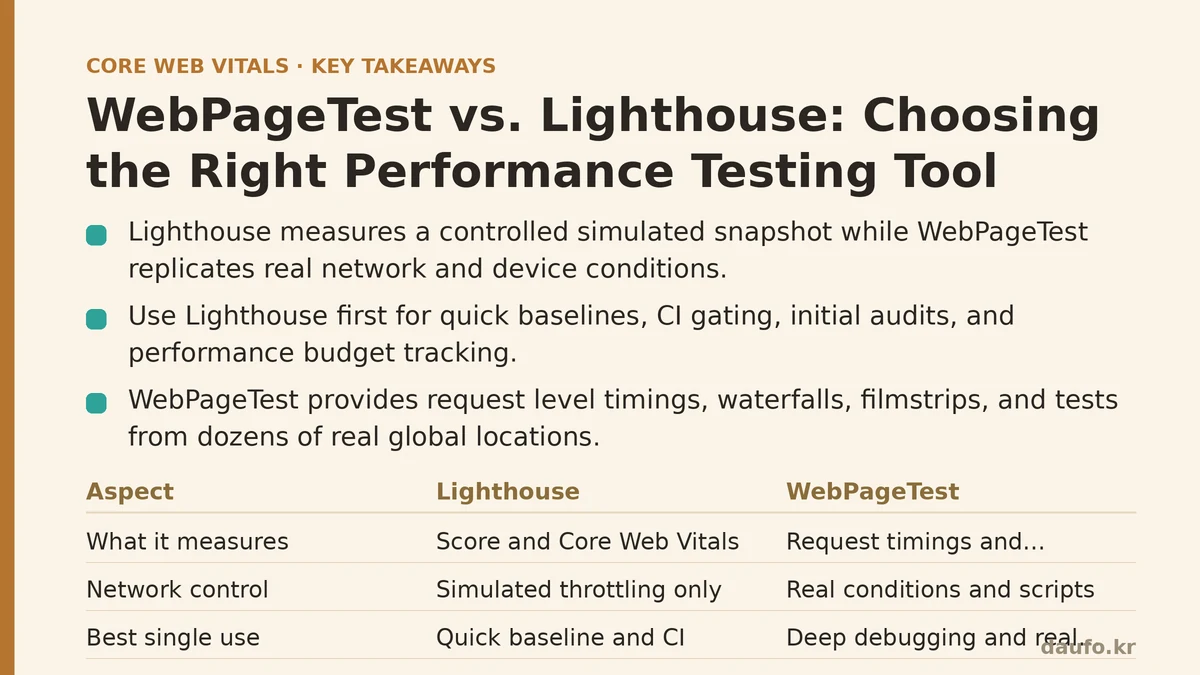
Short answer: Lighthouse measures a controlled, repeatable snapshot. WebPageTest measures your site under real-world network and device constraints.
Lighthouse runs from Chrome DevTools, the CLI, or PageSpeed Insights. It uses a fixed network simulation (usually throttled to simulated fast 4G) and a single page-load test. It produces a score from 0 to 100 across categories like Performance, Accessibility, Best Practices, and SEO. The Performance score combines Core Web Vitals metrics like LCP, CLS, and TBT (Total Blocking Time).
WebPageTest is a field-based lab testing platform. You can run tests from dozens of real locations worldwide, using real Chrome, Firefox, or Safari instances. You control the connection speed, device type, browser version, and even CPU throttling. It does not generate a single number; instead, it produces a waterfall chart, filmstrip, and detailed timing breakdowns for every request.
The critical distinction is simulation versus replication. Lighthouse simulates conditions; WebPageTest replicates them.
| Lighthouse | WebPageTest | |
|---|---|---|
| What it measures | Performance score, Core Web Vitals | Request-level timings, full waterfall |
| Network control | Simulated throttling only | Real network conditions, or custom scripts |
| Geographic testing | No (single location) | Yes (dozens of global locations) |
| Output format | Single score (0-100) | Raw timings, charts, filmstrips |
| Best single use | Quick baseline, CI gating | Deep debugging, real-world checks |
Question 2: When should I reach for Lighthouse first?
Guide: Use Lighthouse first when you need a quick, consistent, and free baseline.
Lighthouse excels in three specific scenarios.
First, continuous integration: you can add Lighthouse CI to your pipeline and fail a build if the Performance score drops below a threshold. This catches regressions early, before they reach production. The simulated environment ensures every run is comparable to the last, which makes it a reliable gatekeeper.
Second, initial on-page audits: when you’re starting to optimize a page, Lighthouse’s built-in audits give you a prioritized list of fixes. It tells you to compress images, eliminate render-blocking resources, or reduce JavaScript payloads. This prescriptive advice is invaluable for junior developers or quick triage.
Third, budget tracking: Lighthouse lets you set performance budgets (e.g., “LCP must be under 2.5s”). The tool then fails the test if you exceed those budgets. This works well for tracking a single metric over time, especially when you want to enforce a hard number across a team.
But here’s the trap: Lighthouse’s simulated throttling is not representative of a poor mobile network. Test on a strong Wi-Fi connection and you’ll get a score that flatters your site. The tool is consistent, not necessarily accurate for real-world users.
Question 3: When does WebPageTest become the better choice?
Guide: WebPageTest is the tool for diagnosing why a page is slow, not just that it is slow.
Lighthouse tells you your LCP is 4.2 seconds. WebPageTest shows you the waterfall: which specific request pushed the LCP metric over the line. That granularity changes everything. You can see if a third-party script on the main thread is blocking rendering, if the server has a slow first-byte time (TTFB) on your hero image, or if a font preload is competing with CSS for bandwidth.
WebPageTest also handles reality checks that Lighthouse cannot.
- Test from the location your users are in. If your audience is in India, test from Mumbai. If it’s in Brazil, test from São Paulo. Network conditions are location-specific, and a server on the opposite side of the planet will behave differently.
- Test on a specific device. Pick a mid-range Android phone, not just a desktop. You can emulate CPU and memory constraints that mimic the hardware your users hold.
- Test with block scripts. If you want to measure the impact of a third-party tag, you can block that domain in WebPageTest and compare the results side by side. This A/B testing of resource impact is essential for decision-making.
WebPageTest also offers a repeat view (with cache), which shows how the page performs for a returning visitor. Lighthouse forces a cold load every time, which hides the performance gains from caching.
Question 4: Are the core metrics (LCP, CLS, TBT) measured differently?
Guide: They measure the same metrics, but under different conditions.
Both tools calculate LCP, CLS, and TBT using the underlying browser APIs. The math is the same. What changes is the environment in which those metrics are captured.
Lighthouse’s network throttling is a software simulation. It approximates a 4G connection but does not account for jitter, packet loss, or real-world latency spikes. If your server is slow, the simulation will show it. If the network path to your server is broken in a particular region, Lighthouse will miss it entirely.
WebPageTest uses actual network conditions from a real test location. A test from a data center in London to a server in Tokyo will pass through the real internet with its real bottlenecks. You see the TTFB, the TLS handshake time, the DNS lookup time. Those are not simulated; they are measured.
This distinction matters for Core Web Vitals optimization. The lab data from both tools helps you find issues. But field data (from the Chrome User Experience Report, or CrUX) reflects what real users experience. WebPageTest can approximate field conditions more closely when you use real locations and devices. Lighthouse’s simulation is a controlled lab, which is useful for catching regressions but deceptive for predicting field performance.
Question 5: How do I use both tools together to form a complete testing strategy?
Guide: Create a layered approach that combines speed of feedback with depth of diagnosis.
A practical workflow looks like this:
Layer 1: Daily automated checks with Lighthouse CI (in development). Every pull request runs Lighthouse. Gate the merge if the Performance score drops by more than 5 points. This catches 80% of performance regressions before they ever reach staging. The speed of feedback keeps the loop tight.
Layer 2: Weekly manual checks with WebPageTest (on staging or production). Pick your top 5 most important page templates: homepage, product page, article page, cart, checkout. Run WebPageTest from two or three locations that match your user base. Use a mid-range Android device profile. Look at the waterfall for bottlenecks that Lighthouse’s audits might miss.
Layer 3: Monthly deep dives with both, plus field data. Pull your CrUX field data (from Google Search Console or the CrUX API). Compare your field LCP and CLS against your lab results from both tools. Where do they diverge? If field LCP is worse, the cause is likely real-world network variability or server location issues — not your code. If field LCP is better, your optimizations are working.
After a significant release, run a dedicated WebPageTest session with block scripts enabled to measure the impact of any new third-party tools you added.
Question 6: What is one thing Lighthouse does better?
Lighthouse is better at automated, repeatable auditing. Its prescriptive audits come with documentation, examples, and best practices. When you run it in CI, every test is identical to the last, which makes trend tracking meaningful.
WebPageTest, by contrast, is a manual tool. It gives you raw data that demands interpretation. A waterfall chart is powerful, but only if someone reads it who knows what they’re looking for.
Question 7: What is one thing WebPageTest does better?
WebPageTest offers unmatched flexibility and depth. You can write custom scripts to interact with the page before measuring — filling out forms, clicking buttons, or scrolling. You can run the test 9 times from 9 locations in a single batch. You can inject custom headers, block cookies, or disable JavaScript entirely.
This is the only way to test single-page application (SPA) routes that require client-side routing. Lighthouse simply loads the initial HTML and runs; it cannot navigate to a client-side route without a custom script. WebPageTest’s scripting engine handles this natively.
Summary Table: Your Decision Framework
| Need | Use This Tool | Why |
|---|---|---|
| Quick baseline or CI gate | Lighthouse | Fast, consistent, free, prescriptive audits |
| Diagnose a slow LCP/CLS | WebPageTest | Waterfall shows the exact blocking request |
| Test from a specific region | WebPageTest | Real locations, real network paths |
| Compare the impact of a third-party script | WebPageTest | Block domains and A/B test the results |
| Track performance over time in CI | Lighthouse | Repeatable environment, stable score |
| Test a SPA route or form interaction | WebPageTest | Scripted navigation, not just a page load |
The choice is not either/or. The most effective performance engineers run both: Lighthouse for the fast feedback loop and regression detection, WebPageTest for the deep diagnosis and real-world verification. Start with a Lighthouse baseline today. When it flags a problem, bring in WebPageTest to find where the problem lives.
What does your current testing setup look like? Are you relying on a single tool, or have you built a layered strategy?
Related guides: WebPageTest vs. Lighthouse: Choosing the Right Performance Tool for the Job, Real User Monitoring vs. Lab Data: Why Your Perfect Lighthouse Score Might Be Lying to You, and Diagnosing and Fixing Common Lighthouse Audit Mistakes.
🔗 Recommended Reading
- How to Enable Browser Caching on Your Website: A Beginner's Step-by-Step Tutorial
- Web Performance Monitoring Tools Compared: Lighthouse, PageSpeed Insights, and WebPageTest
- CDN vs. Origin Server: Which to Optimize First for Latency
- Common Mistakes That Break Web Font Performance and How to Fix Them
- Site Speed Optimization for Fintech Websites: Balancing Security, Compliance, and Performance